Segments
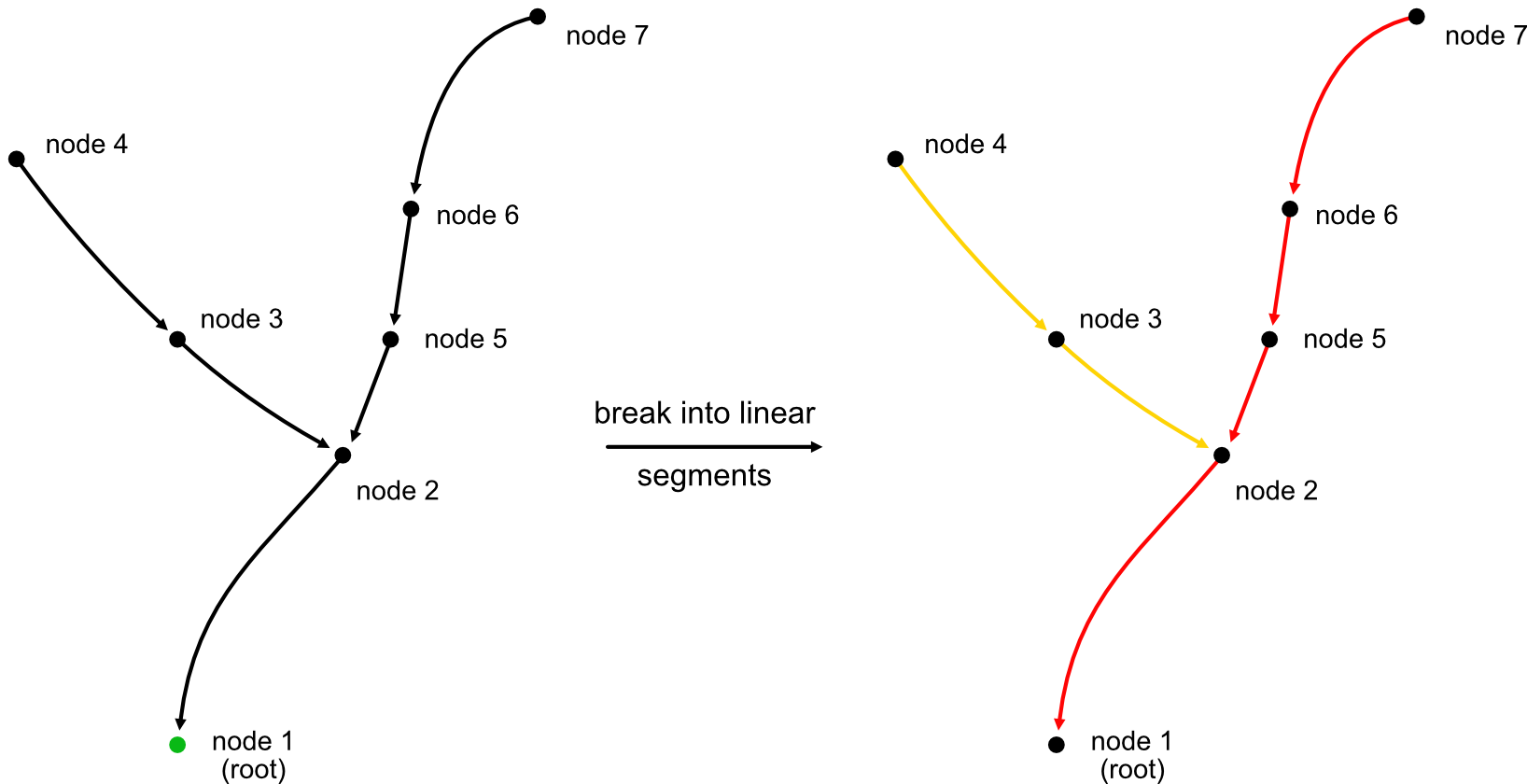
For some operations (e.g. plotting) it is useful to break the graph into its linear components. You can do so by simply "breaking" the graph at each branch point, effectively producing linear segments that connect leafs, branch points and roots. Alternatively, you can try to make as few cuts as possible resulting in fewer and longer linear segments.
Generate Segments
navis_fastcore.generate_segments(node_ids, parent_ids, weights=None)

Generate linear segments maximizing segment lengths.
| PARAMETER | DESCRIPTION |
|---|---|
node_ids
|
TYPE:
|
parent_ids
|
TYPE:
|
weights
|
TYPE:
|
| RETURNS | DESCRIPTION |
|---|---|
segments
|
Segments as list of arrays, sorted from longest to shortest. Each segment starts with a leaf and stops with a branch point or root node.
TYPE:
|
lengths
|
Length of each segment, measured from its first node to its
last: the physical distance between them if
TYPE:
|
Examples:
navis_fastcore.break_segments(node_ids, parent_ids)

Break neuron into linear segments connecting ends, branches and root.
| PARAMETER | DESCRIPTION |
|---|---|
node_ids
|
TYPE:
|
parent_ids
|
TYPE:
|
| RETURNS | DESCRIPTION |
|---|---|
segments
|
Segments as list of arrays.
TYPE:
|
Examples:
Segment Coordinates
navis_fastcore.segment_coords(node_ids, parent_ids, coords, weights=None, node_colors=None, *, flat=False)

Generate coordinates for linear segments.
This is useful for plotting the skeleton of a neuron.
| PARAMETER | DESCRIPTION |
|---|---|
node_ids
|
TYPE:
|
parent_ids
|
TYPE:
|
coords
|
TYPE:
|
node_colors
|
TYPE:
|
flat
|
TYPE:
|
| RETURNS | DESCRIPTION |
|---|---|
seg_coords
|
Coordinates per segment. With
TYPE:
|
colors
|
If
TYPE:
|
Examples:
>>> import navis_fastcore as fastcore
>>> import numpy as np
>>> node_ids = np.arange(7)
>>> parent_ids = np.array([-1, 0, 1, 2, 1, 4, 5])
>>> coords = np.random.RandomState(42).rand(7, 3)
>>> fastcore.segment_coords(node_ids, parent_ids, coords)
[array([[0.43194502, 0.29122914, 0.61185289],
       [0.18340451, 0.30424224, 0.52475643],
       [0.83244264, 0.21233911, 0.18182497],
       [0.59865848, 0.15601864, 0.15599452],
       [0.37454012, 0.95071431, 0.73199394]]), array([[0.70807258, 0.02058449, 0.96990985],
       [0.05808361, 0.86617615, 0.60111501],
       [0.59865848, 0.15601864, 0.15599452]])]
The same segments as one NaN-separated array: